Showing posts with label Homebrew. Show all posts

Tuesday, December 11, 2007

PSP Filer v4.51

Oops, I missed the v4.5 update. But anyway, it's at v4.51 now.

PSP Filer now uses the extra 32MB of RAM available on the PSP Slim, though I'm not sure whether that will help to speed up anything. Some bugfixes to the ZIP and CSO support as well, though ZIP support is still far from perfect as it doesn't support passworded archives.

If you are using the PSP Slim or do not have the 1.50 kernel add-on installed on the old PSP, please use the EBOOT inside the kernel3 folder. Do note that quite a lot of features are missing from that, most importantly the ability to modify flash0.

PSP Filer v4.51

NandTool v0.3 beta 1

Another update to cory's NandTool, adding more useful functions such as being able to mount ms0:/ to USB, dumping idStorage to key files for both the old PSP and the PSP Slim, and writing idStorage straight from key files.

Also, it's possible to get back some functionality for those who have screwed the nand on their PSP Slim. By using some keys from another PSP Slim, homebrew and ISOs in NO-UMD mode can run without errors. However this is not a magic fix if you have screwed your nand. Do see the readme file for more details.

File is provided without any help whatsoever as I don't encourage people to play with their nands. It's much too dangerous to make any mistakes.

NandTool v0.3 beta 1

Wednesday, November 28, 2007

PSP Filer v4.4

My favourite homebrew just got updated again to v4.4. It now comes with ZIP/CSO extraction, and is not limited to files that are below 22MB in size.

The developer Mediumgauge mentioned on his guestbook that he is working on RAR extraction support now, as well as support for passworded archives. That would really be handy, I wouldn't need the RAR/ZIP Extractor homebrew anymore :).

Download PSP Filer v4.4

Sunday, November 25, 2007

IRShell 3.81


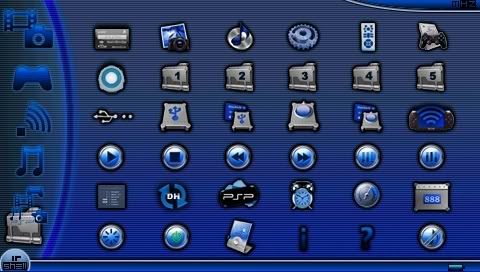
What started as a simple application for using the PSP as a remote control has evolved into a full shell replacement for the PSP's XMB.

IRShell allows you to launch homebrew and ISO/UMD, watch movies, use the PSP as a remote control (on the old PSP only), play PSX games (with 2-player ad-hoc support), listen to music, set an alarm, stream ISOs via USB and Wifi, and more. In short, everything you can do on the PSP, you can do within IRShell.

That said, personally I don't use it cos I find it too cluttered. But I thought the ability to multi-task between ISO/UMD and IRShell was cool.

IRShell 3.81 Full [26MB]
IRShell 3.81 Update (Only for those who already have IRShell 3.80 installed)

Saturday, November 24, 2007

Quake 1 for PSP v1.0 - Optimized for the PSP Slim


Homebrew developer Cpasjuste has just finished doing some modifications to the open source Quake 1 for PSP, released by jurajstyk a few days back.

Two important changes are the increased heap size to 40MB, to take advantage of the increased RAM available on the PSP Slim, and switching to the PSP's hardware MP3 decoder instead of using Libmad (software). These improvements should allow Quake to run much more smoothly on the PSP Slim. jurajstyk also reported that some maps/mods might not work due to memory constraints, but that should be fixed if you're using the optimized EBOOT for the PSP Slim.

Both the optimized EBOOT and the original EBOOTs are available for download below. Apart from that, you still need the files from the PC version of Quake in order to play on your PSP. What's needed is the ID1 folder, which can be found in either the shareware version or the full version of Quake 1.

PSP Quake 1 - Optimized for Slim by Cpasjuste
PSP Quake 1 - Original by jurajstyk

Tuesday, November 20, 2007

Open Source Pandora Battery Tool v0.4

Another update for cory's Pandora Battery homebrew coded for the 3.xx kernel. Now it displays the serial that's stored in the eeprom.bin file on your memory stick, so you know what serial you're flashing to your battery.

Also, cory stated in the readme that this works fine with Slim batteries if you only write the serial. So take note of which button you're pressing when trying to convert a Slim battery.

Open Source Pandora Battery Tool is a homebrew that allows you to convert any original Sony PSP battery to Pandora, and back to normal. Unlike the initial Pandora Battery Creator that was released with Pandora, this homebrew works without the 1.50 kernel, so it will run fine on the PSP Slim.

Download ospbt v0.4

Monday, November 19, 2007

Open Source Pandora Battery Tool v0.3

Someone asked me about it, and I realised I didn't cover it here. It's old news by now, but it's apparently possible to convert the Slim battery to Pandora, contrary to previous reports.

Yes, the readme still advises against using it on a Slim battery. That's because of earlier news that Slim batteries could not be converted to Pandora. While people have successfully converted Slim batteries into Pandora, no one has retracted the earlier statement about Slim batteries being incompatible with Pandora.

Therefore, try at your own risk. I recommend you only flash the serial back from eeprom.bin when restoring your Slim battery to normal.

Download ospbt v0.3

PS: MediaFire terminated my account, so if you really want any files from earlier posts urgently, email me about it or leave a comment. Thanks. I'll try to reupload them slowly.

Sunday, November 18, 2007

RAR/ZIP Extractor

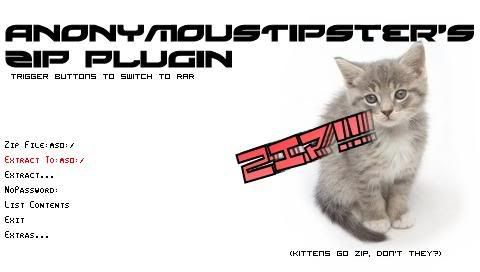
I came across this updated version of AnonymousTipster's RAR and ZIP extractor homebrew and decided to share it here.

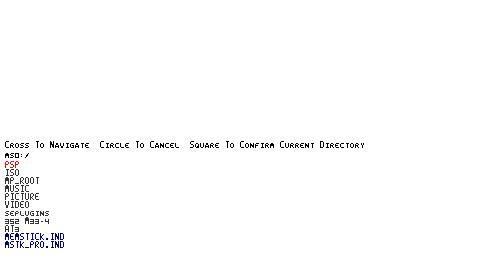
It retains the features from the older version, which is extracting RAR and ZIP files, including passworded archives (Press R-trigger and L-trigger to toggle between RAR and ZIP). Text input is still via Danzeff's On Screen Keyboard. What's new is the directory view that has been added. Now you no longer need to manually enter the path of the RAR/ZIP file that you want to extract. By pressing Square, you are shown a directory listing which lets you select the archive that you want to extract, or the folder in which you want to extract the archive to.

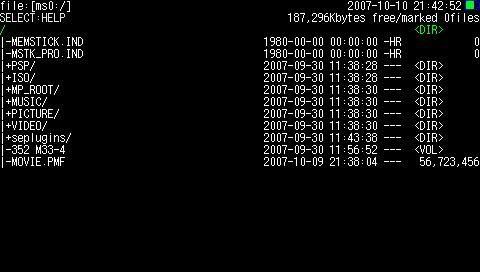
Here's what the directory listing looks like:

PSP Filer v4.31

PSP Filer has been updated (twice actually) to v4.31. This update fixes some bugs present in previous versions, as well as adding a new feature to allow you to reorder your PSP games and homebrew in the XMB menu. I've been using PSP Content Manager (coming soon) to do my re-ordering, so this sounds like a useful feature as now you no longer need to connect your PSP to your PC in order to rearrange the icons.

Filer v4.3 added the function to sort XMB icons, while v4.31 is suppose to fix a bug in v4.3 when sorting XMB icons that had corrupted icons.

Use the EBOOT inside the filer folder if you have the 1.50 kernel. If you don't have the 1.50 kernel add-on installed (for old PSP) or you have a PSP Slim, use the EBOOT inside the kernel3 folder. PSP Filer for 3.xx kernel has less features than the 1.50 version due to the limitations of coding for the newer kernel.

Download PSP Filer v4.31

Saturday, October 20, 2007

Full Resolution TV-Out Proof-of-Concept

Dark_AleX has coded a simple Proof-of-Concept homebrew to showcase a full resolution TV-Out feature for homebrew.

While this is just a simple "Hello World" application, it can easily be extended to support more homebrews, and hopefully be used for full resolution output of videos from the PSP Slim via homebrew like PimpStreamer.

Place the folder into /PSP/GAME and run from the GAME menu on your PSP Slim. Be sure to connect your TV-Out cable to your TV first.

If you're interested in trying this out, here's the file: Download

Monday, October 15, 2007

USB ISO Loader v0.2 Guide

As requested, here is a guide on playing ISOs via USB with the aid of a homebrew coded by psp.padawan, USB ISO Loader v0.2.

You can get all the required files in the download at the end of this post. Getting started is only a two-part process.

Part One: Installing the LibUSB driversThis happens to be the most difficult step, so follow closely.

1. Extract the PSPLink folder to ms0:/PSP/GAME.
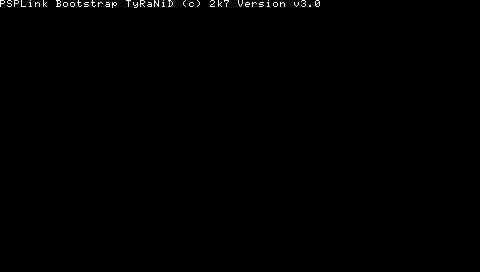
2. Connect the USB cable to your PSP, and run PSPLink. You should see the following screen:


3. Right now, Windows should detect your PSP Type B and request for the drivers. When prompted, choose "Install from a list or specific location" and click Next.
4. Select "I will choose the driver to install" and click Next.
5. Use the Browse button to find the drivers that I have provided in the package.
6. Once you're done setting up the drivers, you can skip to Part Two.

If Windows does not automatically detect your PSP when you run PSPLink
1. Click Start, and go to Control Panel.
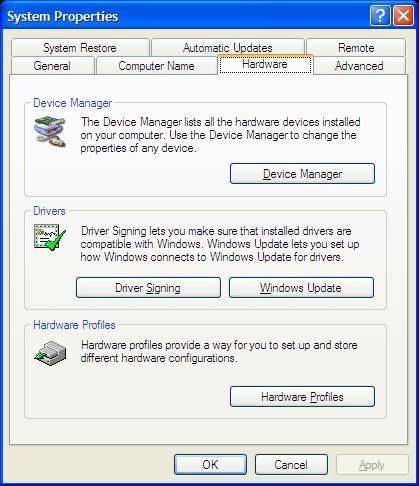
2. Double-click on System, and go to the hardware tab.


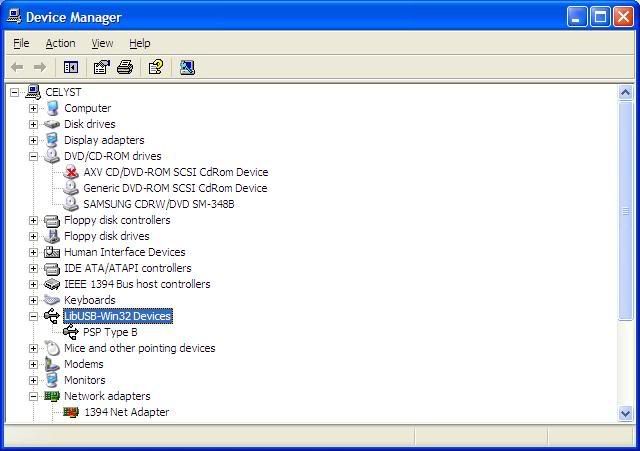
3. Click on Device Manager. You should see a new entry called "LibUSB-Win32 Devices". Double-click on it and you should see "PSP Type B" below it.


4. You should see a yellow exclamation mark for PSP Type B. Right-click it, and select Update Driver.
5. Follow the steps in Part One to select the drivers for your PSP.

I could not find a way to exit PSPLink after running it, so simply hold your power button up until your PSP switches off, then switch it on again.

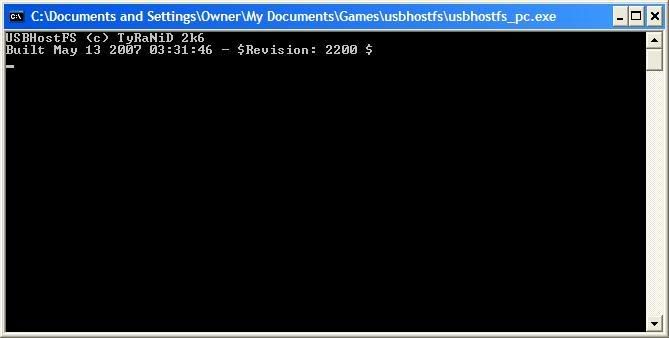
Part Two: Using USB ISO Loader1. Extract the folder usbhostfs to your computer. Double-click it and run usbhostfs_pc.exe. Leave the window open.


2. Place your ISO/CSO into the ISO folder. You need to place them here for USB ISO Loader to load them.
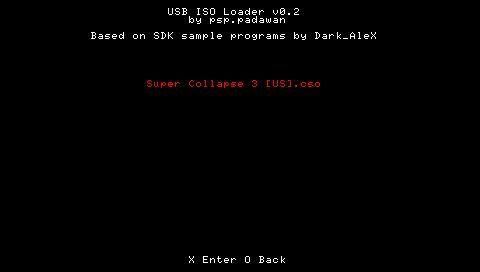
3. Extract the "USB ISO Loader" folder to ms0:/PSP/GAME3xx or ms0:/PSP/GAME (if your kernel is set to 3.xx). Run the homebrew.
4. A menu should appear with a list of ISOs/CSOs. Simple select the one that you want to play, and press Cross.


It is advised not to use NO-UMD mode with this program, as it can only utilise the older OE NO-UMD mode, which does not have very good compatibility. Instead, set the UMD ISO Mode to Normal and put a UMD inside your PSP.

Without further delay, get the package here: Download

Saturday, October 13, 2007

MacFixer by Noobz

MacFixer is a simple utility to help users change their MAC address to the correct one automatically. There are two reasons why you might need to use this application.

Firstly, you might have installed a new Wifi board. Unfortunately, the MAC address in the PSP doesn't automatically change to reflect the new MAC address. Using this homebrew, it will automatically update it so that you will be able to use your Wifi.

Secondly, you might have used another application to change your MAC address to something else, and now you're facing problems with your Wifi. MacFixer will automatically detect the true MAC address of your Wifi board and set it correctly so that you will be able to access the Internet once again.

To use, simple set the Wifi switch to ON, and run the homebrew. it will do the necessary changes automatically. Remember to write down your original MAC address, in case MacFixer ends up making the problem worst. Always use caution when running homebrew that will write to your PSP's flash.

Get it at your own risk: Download

RAR/ZIP plugin

Here is a long-forgotten homebrew that I've just dug out from my archives: AnonymousTipster's RAR/ZIP Plugin.


It might be called "plugin", but it's actually a full EBOOT that can be ran straight from the GAME menu. Originally designed for IRShell, this homebrew lets you extract RAR and ZIP files using your PSP, with added support for passworded archives as well. This could come in handy when you're on the go and decide to download a new homebrew over wireless to test on your PSP. For maximum benefits, I recommend you use this together with PSP Filer.

Let's walk through extracting a passworded archive "Pics.rar" on my memory stick using this homebrew.

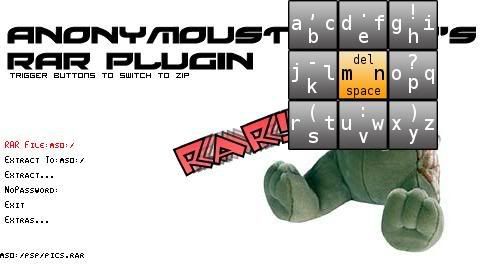
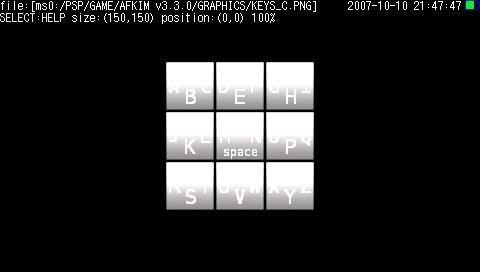
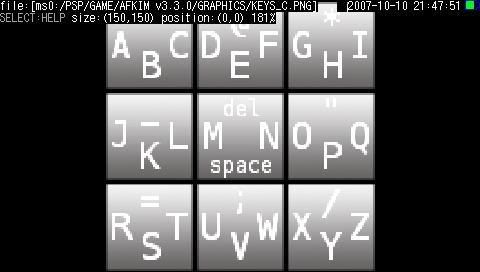
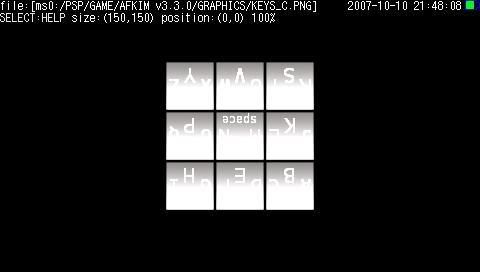
First, enter the full path of your rar file by pressing Cross over the first option. The input is via Danzeff's On Screen Keyboard (OSK), similarly used in the AFKIM homebrew that I covered on this site as well. Use the analog stick to shift the yellow box to the corresponding box, and press the appropriate face button (Square, Triangle, Circle or Cross) to select the letter. For example, shift the analog stick to the top left, and press Square to type the letter "a". To enter capital letters or other symbols, hold down the R-trigger to access an alternate key layout. To enter numbers, press L-trigger once to switch to the number layout. Press L-trigger again to revert back to the original layout.

I've saved the file in ms0:/PSP/Pics.rar for this example, so I'll enter that. Press Start when you're done.


Enter the path of the RAR file

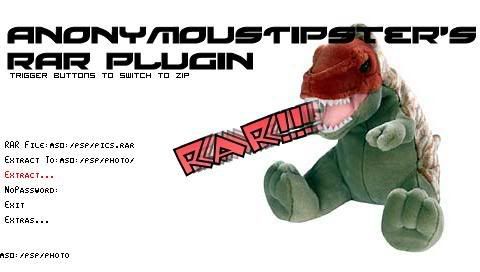
You can now choose where you want to extract the files to by editing the second option. I've decided to extract them straight to ms0:/PSP/PHOTO so that I can view them immediately without needing to move them around using PSP Filer.


Enter the destination folder

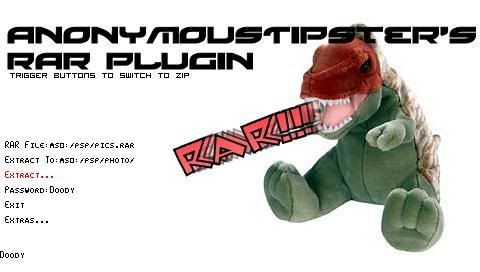
To test out the password feature, I've placed a password on this archive, so I'll enter the password now. Scroll to the fourth option to do so.


Enter the password, if any

Now select Extract and let the homebrew do its stuff!


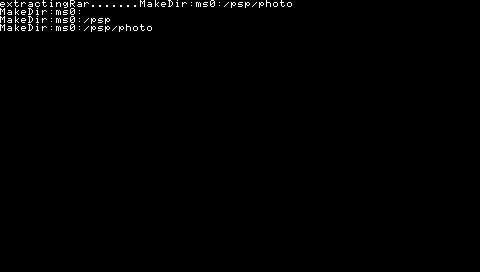
The homebrew extracting files

Once it's done it'll go back to the first screen. Let's exit now and check whether it worked.

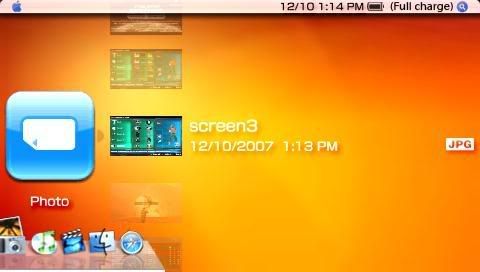
Success! The files are now available in the PHOTO menu.


If the files have gone missing, check that you've entered everything correctly, especially if it's a passworded archive. If you enter the password wrongly, no error will appear but the files will not be extracted.

To install, copy the folder to /PSP/GAME150 as this is a 1.50 homebrew. This homebrew will not work on the PSP Slim due to the lack of the 1.50 kernel

Get RAR/ZIP plugin now: Download

Thursday, October 11, 2007

Hexaxis XXI Update #8.1

I was randomly surfing around when I came across this awesome homebrew game for the PSP and PSP Slim, Hexaxis XXI. I've seen it before, but never paid much attention to it until today.


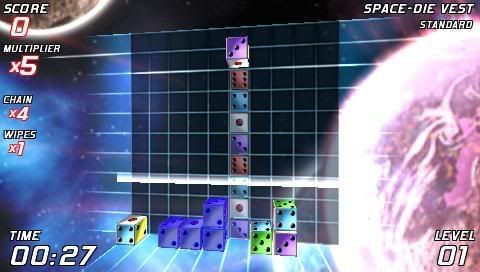
This game is actually a PSP port of a PC game, developed by the same person. As such, it's only a demo and doesn't have a lot of features available. While it may look like a Tetris-clone, Hexaxis is much more than that. Instead of simple blocks falling down from the top of the screen, players have to manipulate a six-sided dice down the playing field, with the aim being to match together the same number of similar dice as the number shown on it. Sounds confusing, but here's what I mean: two "2"s, three "3"s, four "4"s, five "5"s, or six "6"s. Combine that with a Lumines-style wipe bar and combo multipliers, and you get one of the best homebrew games available on the PSP.

Thankfully, the game developer has provided a dice preview in the Simple Mode, allowing you to see which dice face will be displayed when it's rolled all the way to the bottom. Even with that, it's still a challenge to flip the dice around until you get the number you want to match at the bottom.

Hexaxis comes with a few electronic-sounding background sounds, as well as different backgrounds to spice up the gameplay. The graphics and sound effects are good for a homebrew game, and also combines simple puzzle concepts from various drop-down games into one exciting puzzle. I've tried the game for about 10 minutes, and it posed quite a challenge for me to match up the die faces correctly, as it was hard to manipulate the dice into the position I wanted.

This homebrew currently works on the old PSP and 3.60 M33 for the PSP Slim, so get the correct version for your PSP. If you're on the old PSP and on 3.71 M33 custom firmware, you'll need to install the 1.50 kernel add-on for this homebrew to work. Just extract the two folders to /PSP/GAME150 for it to work.

For those using the PSP Slim, you will need to get the modified EBOOT.PBP as well. Copy over the HexaxisXXI folder to /PSP/GAME first, then replace the EBOOT.PBP with the modified one. You can ignore the HexaxisXXI% folder for PSP Slim users.

Get the version for old PSP: Download
Get the modified EBOOT.PBP for PSP Slim (3.60 M33): Download

Wednesday, October 10, 2007

PSP Filer v3.9

Edit: Updated information.

Cheers for all homebrew-ers, another version of PSP Filer has just been released.


PSP Filer is the ultimate file manager homebrew for the PSP, with support for multiple foreign languages. With this homebrew, you can copy, move and rename files on your memory stick, UMD or flash!


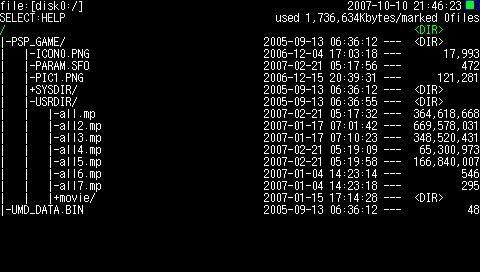
View the contents of your UMD


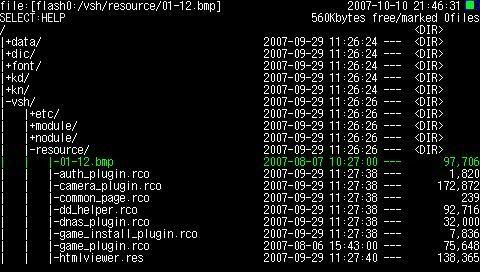
Or flash0/flash1

Not only that, you can view JPG files straight from the homebrew, as well as zoom in and rotate, all with a simple keypress.


Normal


Zoomed to fill the screen


Rotated 180 degrees

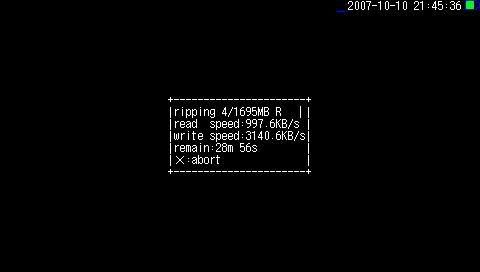
Filer also lets you rip an ISO image straight from your UMD to your memory stick. Even if your memory stick runs out of space, Filer will automatically cut the file into two or more parts, and provide a file to rejoin the parts of your ISO into a workable file.


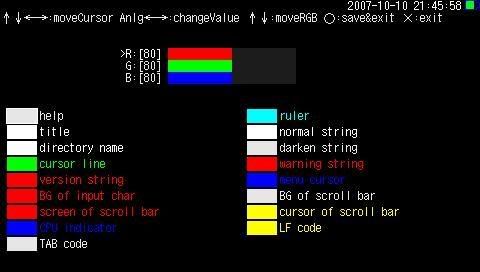
The user even has the option to customize the colours used in Filer, and set a wallpaper! To set a wallpaper, just view the picture on Filer and press Start + Triangle to save it as the wallpaper.


Some other features also available are a chromatic tuner, memory viewer, USB access and flash memory maintenance. To know more about how to use these features, remember to read the readme file included with the ZIP.

You will need a homebrew-enabled PSP to use this program. Place the folder into /PSP/GAME and you're good to go. This homebrew currently doesn't work on the PSP Slim, even with eLoader. It's probably something to do with the lack of 1.50 kernel on the PSP Slim.

My MediaFire download has been removed, and there's no point reuploading an older version of this. Go
here to check out the latest version of PSP Filer (v4.31 as of 20 November).

Wednesday, October 3, 2007

Memory Stick Testers

Have you always wondered how fast your memory stick truly is? With these 2 memory stick testers, you can finally have a gauge of how fast your memory stick is compared to others.

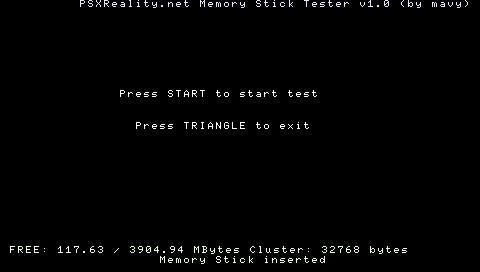
First up, we have PSXReality's MStick Tester.


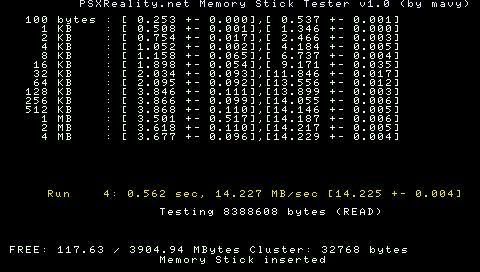
This homebrew tests your memory stick's read and write speeds for different file sizes up to 20MB. As such, the benchmarking will take up to 5 minutes to finish. Different file sizes are written and read for a few times to get an average, which supposedly makes the test more accurate.


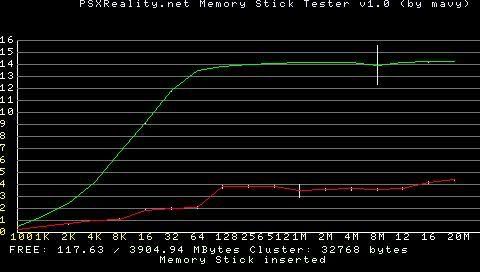
At the end of the tests, the results are plotted onto a graph, showing you the read and write speeds for your memory stick over the different file sizes.


PSXReality's MStick Tester has a very mathematical feel to it, with all the number calculations and graphs. While it offers detailed statistics, it might be hard to compare it with the performance of other memory sticks at a glance. Still, it's a good homebrew to have if you're very particular about the exact read and write speeds of your memory stick.

Secondly, we have blackSPEED v2.


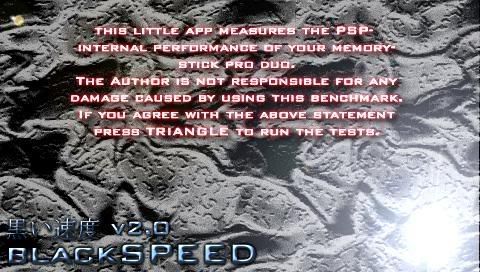
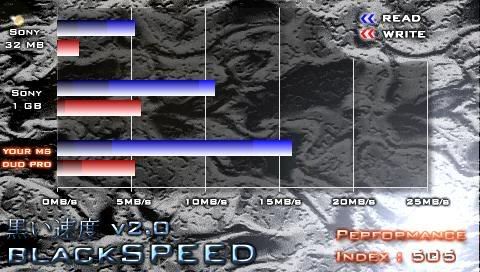
blackSPEED v2 is a simpler homebrew than PSXReality's one. Instead of a long list of numbers and graphs, blackSPEED simply compares the performance of your memory stick using a simple scale. The speed of a 32MB Sony memory stick is given 100 points on a Performance Index, and the performance of your memory stick will be compared to that and given points accordingly. So if the Performance Index of your memory stick is 200, it has double the read and write speed of a Sony 32MB memory stick.


Compared to PSXReality's MStick Tester, blackSPEED v2 is a lot simpler and cuts out all the figures, giving you an easy to read Performance Index instead. This makes it easier for comparison between different memory sticks. Testing time is only about 15 seconds, which comes in handy if you need a quick calculation for a memory stick.

If you want to get a screenshot of your results, for PSXReality's MStick Tester, press SELECT to save a screenshot. In blackSPEED v2, just leave it there for a while when done, then press Cross and it should save a screenshot as well. Both applications also generate a log file in the root of your memory stick, which contains the numerical figures for the tests.

Generally, expect Sandisk memory sticks to be faster than Sony ones, even if the Sony ones are High Speed. That's why I'll recommend you get a Sandisk MSPD for your PSP to minimise lags when loading games, as well as to be able to transfer games over in a shorter time. Also, plugins may have problems loading if it's a big plugin (like CWCheat) and you have a slow memory stick.

Here's the results from my 4GB Sandisk MSPD on both applications, just for comparison with your MSPD's performance. If you want to contribute a picture of your MSPD's performance, just email it to me and I'll put it up.


My 4GB Sandisk on PSXReality's MStick Tester


My 4GB Sandisk on blackSPEED v2

Get PSXReality's MStick Tester: Download
Or go for blackSPEED v2: Download

Sunday, September 30, 2007

Open Source Pandora's Battery Tool v0.2

cory149 has updated his Open Source Pandora's Battery Tools to v0.2. For those people who don't know what this is about, his tools allow a Pandora's Battery to be made even in custom firmware 3.71 M33. This is because he has coded it for the newer 3.xx kernel, rather than the other homebrews which are still based on the 1.50 kernel.

For those who missed v0.1, this homebrew allows you to make a Pandora's Battery for use with the Magic Memory Stick. You also have the option to save the eeprom of your battery, so that you can restore it to a normal battery once you've finished using it.

File archive: Download

Downgrade 3.71 M33 to 1.50 without Pandora!

Samhain from Maxconsole has discovered a method on the old PSP to downgrade firmware 3.71 M33 to 1.50 without the need for Pandora's Battery! A good find as this will save time for those who can't wait for the 1.50 kernel on 3.71 M33 to be released and want to go back to 3.52 M33-4 so that they can get their homebrews back.

The steps are simple:

1. Download the package and extract it to PSP/GAME.

2. Download the official 1.50 firmware EBOOT.PBP and rename it to UPDATE.PBP.

3. Copy that to PSP/GAME/UPDATE. Then run "Update to X.Y.Z".

4. Follow the instructions and you should be back to 1.50 soon.

Get the file here: Download

Pandora Installer for 3.xx Kernel Second Revision


HELLCAT has released a Pandora Installer that works on the newer 3.xx kernels, which means PSP users on 3.71 M33 can now make a Pandora's Battery and Magic Memory Stick even though they don't have a 1.50 kernel.

What's more, this nifty homebrew lets you do the mspformat and msinst on the PSP itself! No more fumbling with the old command prompt tools, just a keypress and your memory stick will be formatted with the IPL and ready for use with Pandora's Battery. You can also use this homebrew to convert your battery to a Pandora's Battery, as well as write other IPLs to the memory stick (for example, Booster's Multiboot IPL).

However, this application will make the Magic Memory Stick for the old PSP only, so you won't be able to use this to unbrick the PSP Slim.

Get it now from the archive: Download

Saturday, September 29, 2007

PSP Slim Unbricker Released!

Here's the latest news! As promised, Dark_Alex has released his PSP Slim Unbricker, labeled as Despertar_cementerio, which loosely translates as "to awake from the dead". Quite an apt name for something that can unbrick ALL old PSPs and PSP Slims!

Get version 2 of this unbricker to avoid bricks, as the first version released had some problems with restoring the flash1 registry.

With this, you can now unbrick old PSPs and PSP Slims using the same Magic Memory Stick and Pandora's Battery! You're also able to downgrade 3.71 M33 to official Sony firmware 3.71 on the PSP Slim, though I have no idea why you would want to do that.

One thing to note, as this is a universal unbricker, it no longer restores your PSP to firmware 1.50. Instead, it flashes your PSP straight to the latest custom firmware, 3.71 M33. Another small improvement to speed up the process of unbricking your PSP and installing the latest custom firmware!

Note that on the PSP Slim, you will still have to work with no screen output, just like the 3.60 M33 installer. But not to worry, the memory stick light and the Wifi light will be used as indicators to tell you about the progress of the unbricking.

Grab the file from my file archive: Download


Twitter and Facebook SMS Updates